
RUNNING ASSESSMENT - ONLINE SELF SCHEDULING
Hello! Thank you for choosing R2P. We are excited to support your running journey with our Running Performance Assessment!
We are putting you in control, and are excited to offer you the ability to Self Schedule with our Online Scheduling Software.
- Below is a quick step guide on how to schedule.
- A more in-depth 'How-To' can be found below that for further guidance.
Please follow the steps below to assure accuracy. Reference this page as you go through the steps, and if you do experience any issues we will certainly assist in the process!
The Running Performance Assessment is a 60 minute session

QUICK SCHEDULING GUIDE
- Click HERE to Access the Scheduling Portal
- If this is your first time at R2P please enter all of your information to build your profile, if you are returning - create a NEW CASE
- Case Details, please select OTHER, for Body Part, and in Condition Description enter RUNNING PERFORMANCE ASSESSMENT
- Doctor/Surgery/Insurance - Select NO
- Crease the Case and Go to the Scheduler!
- Select the new Case - OTHER - *Todays Date* - PT
- Currently only available in Columbia, Frederick, Gambrills, Germantown, & Mt. Airy in MD. And in Reston, VA.
- Please do NOT select any other facilities
- Select a Provider (cycle through to see availability)
- Select a Date & Time, and click SUBMIT!
HOW 2 SCHEDULE - FULL PROCESS
ENTERING THE PORTAL & THE BASICS
- Please Read through these instructions and then click on the RED BUTTON BELOW, that will direct you to our R2P Online Scheduler.
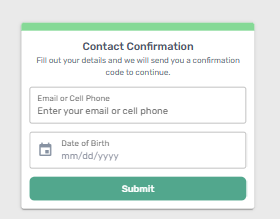
- You will be prompted to enter your email/phone number and Date of Birth to get an access code
- Once received, enter that access code to enter the main portal
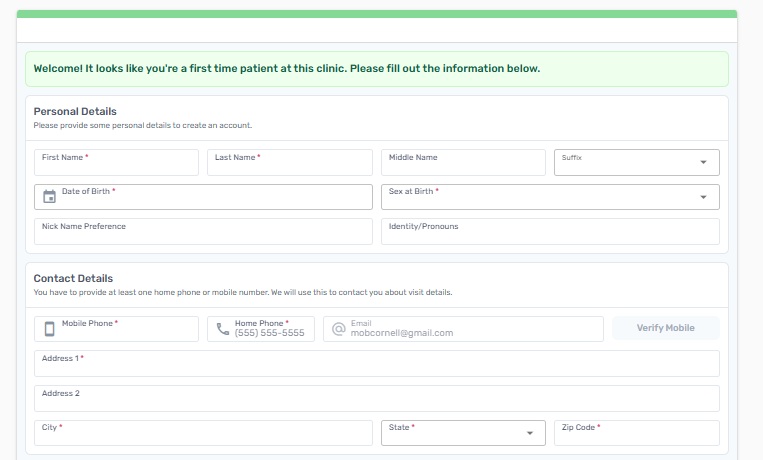
- If this is your first time at Rehab 2 Perform, you will be prompted with some basic information as you create your profile, prior to scheduling
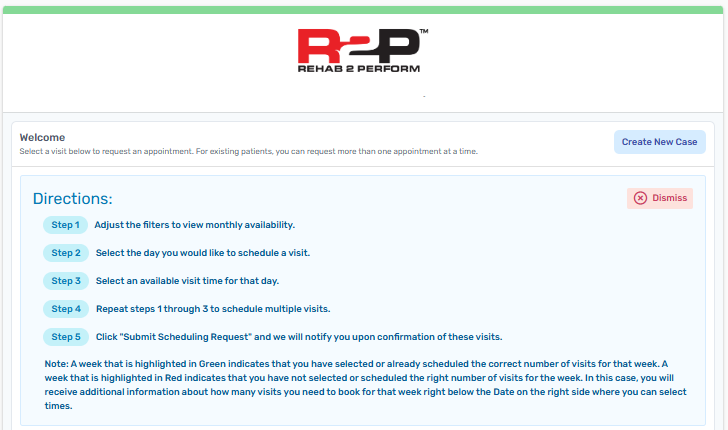
- If you are a returning R2Peep!, Please click on the CREATE NEW CASE BLUE BUTTON
CASE CREATION
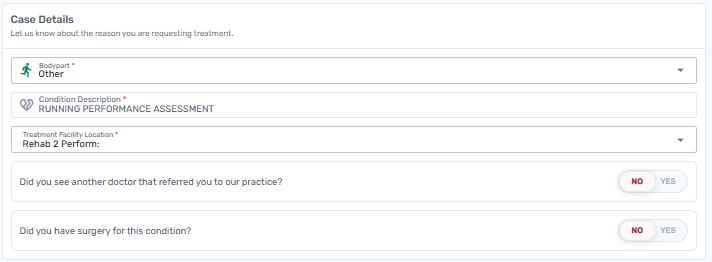
- CASE DETAILS - Please make sure you enter these as noted below
- BODY PART: Please scroll to the bottom, and select OTHER
- CONDITION DESCRIPTION: Enter - RUNNING PERFORMANCE ASSESSMENT
- Select the Treatment Facility Location that best suites you
- We currently offer this service in Columbia, Frederick, Gambrills, Germantown, & Mt. Airy in Maryland. And in Reston, Virginia.
- Did You See a Doctor, Have Surgery and Insurance Detail: Please Select NO
- You do NOT need to upload any documentation
- Click: CREATE CASE & SELECT VISIT
- This will take you to the Calendar Scheduling Feature!
SCHEDULING CALENDAR
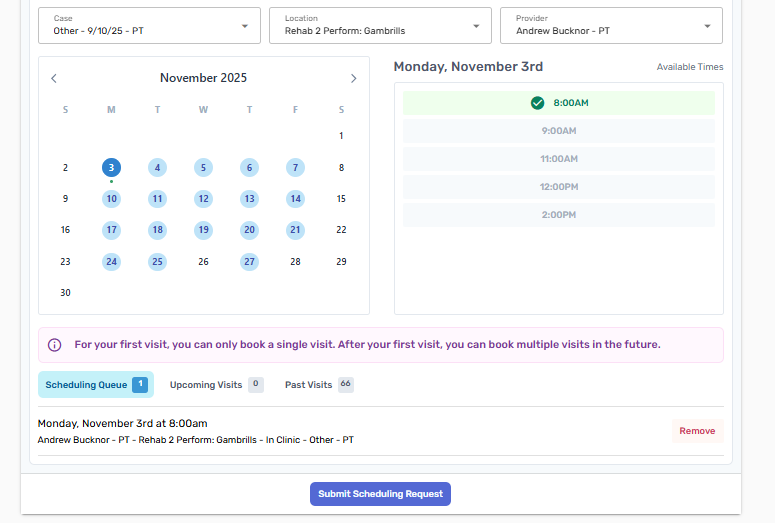
- In the Dropdowns, please assure:
- The CASE states: OTHER - *Todays Date* - PT
- The Location is one of the six (6) listed above
- The Provide may adjust as you select different dates
- Once you select the appropriate Date & Time, it will populate in the 'Scheduling Queue'
- Confirm that is the Date, Location, and Case and click on SUBMIT SCHEDULING REQUEST
- The Session will Log Out
- From here, our team will Approve the Visit, and you will receive an Email and/or Text to Confirm that your Running Performance Assessment is Scheduled.
- Once Scheduled, you will receive a link with our Running Performance Assessment Intake, for you to please complete prior to your visit.
- This will come from Rehab 2 Perform <automated@promptemr.com>
Issues with the Online Scheduler?
No worries, fill out the quick form below and our staff will reach out in a timely manner.